Design system
Work in progress
A design system is a shared and central system in which guidance and assets can be found by everyone involved in creating productsor assetsfor the same service or company.
Why a design system?
- to be consistent throughout the product portfolio
- to focus on complex problems instead of standard components
- to serve faster development cycles
- to be able to scale digital products
- to be able to serve the maturing of the digital market
A design system has to be
- sharable
- accessible
- consistent
- easy to use
- scalable

Layers of a design system
Brand guidelines
These are often provided by the company and contain company values and guidelines for applying the brand. They include information on brand colors, typography and tone of voice. When not available, you can consider defining them using a brand sprint.
Rules
Based on thebrand values and guidelines, it can be useful to set some ruleson how to apply these brand guidelines. They can include information on design principles, implementation guidelines and best practices as inspiration.
Living style guide
A living style guide covers the documentationof the look and feel of products(griddefinition, color palette, typography, iconography guidelines etc.).\
Living pattern library
UI components and page templatesare collected in a pattern library.
Getting started
A few guidelines that will get you started off the right way:
Brand guidelines:
This visual language acts as your raw material for building atoms, components, and fully fledged designs. This visual language must be strong, easy to build upon, and free itself from the medium on which it is going to be displayed; it has to be able to work everywhere.
Begin with Key Features:
It’s a scary notion to start and design components that are essentially not attached to anything. Thus at the start, the first components are going to be closely linked to the product or the brand objectives and focus on the actions which the user wants or does and on the components that are needed to accomplish this action.
Enrich the system:
Next, in order to enrich the system, we are going to make round trips between the already existing components and new features. The first components will help to create the first screens, and the first screens will help to create new components in the system or to change the existing ones.
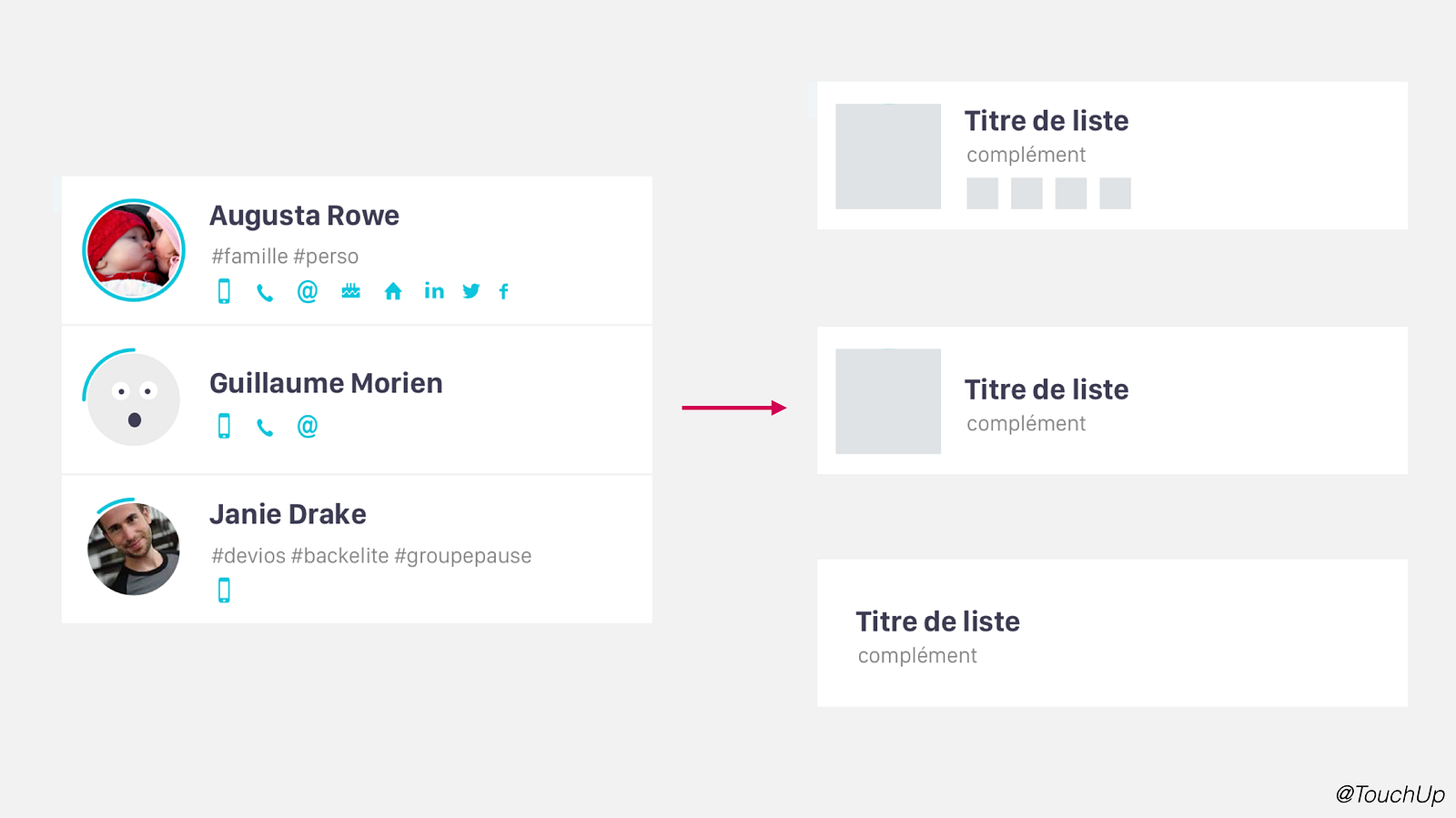
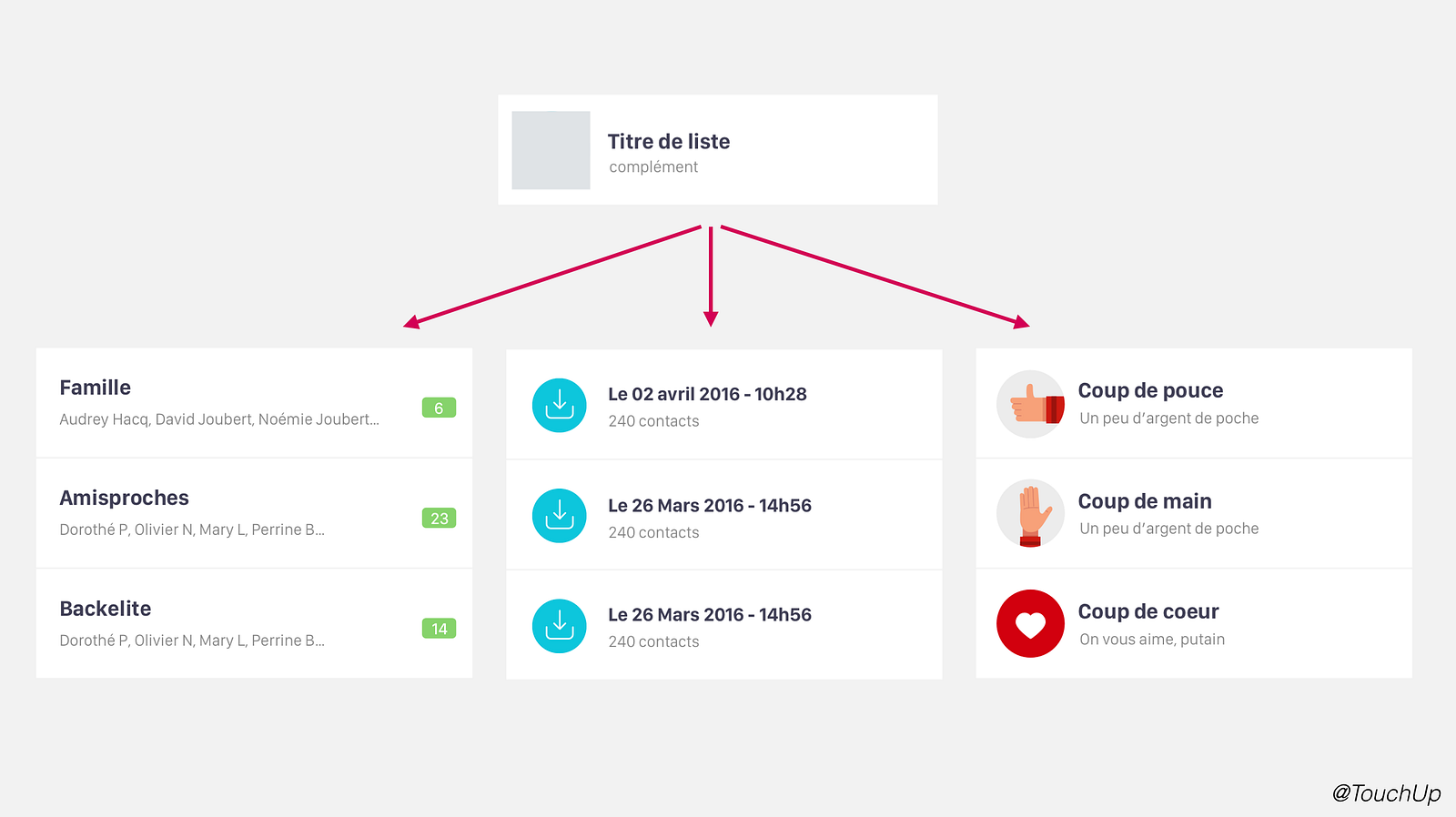
Think generic:
When designing atomically, we always have to keep in mind that the same component is going to be declined and reused in very different contexts. Having anticipated variations in the use of a component enables the use of the component to create other ones.
Think fluid:
Components themselves which have to have their own breakpoints and their own fluid behavior. Keep this as well in mind when designing atomically

The part and the whole:
When designing atomically be sure not to forget to constantly zoom in and out over the whole design of the system. This back and forth process helps create a strong, clear, and above all else consistent system and visual brand language.
Mutualize the work:
All components within a atomic design system are interconnected with one another, making it thus very easy to modify and make changes to the system. While this is nice to be able to do, it is also a warning and something to keep in mind. As by making a change to one part of the system isn’t just changing that isolated case but rather affecting everything within the system to it’s very core!
Share the system:
Plain and simple, share your system with your team so that your all always up to date and working on the most current version. Luckily in Sketch there are shared libraries.\