Wireframing
As an interaction designer you will use wireframes to share your ideas and solutions with designers, developers and stakeholders. It is the core of your work as an usability expert and it helps you to explore different solutions, communicate with others and test. Depending on where you are in the design process and what you want to achieve, you use different wireframing styles. Always consider up front what the most efficient way is to convey your designs.
Low fidelity
If you want to explore ideas and solutions quickly, it is best to use pen & paper to sketch low-fidelity wireframes. This will help you and your team to react on each others ideas, form an opinion and make quick iterations. A pen-on-paper sketch can also be enough if you quickly want to show a developer what you mean.
.jpg)
High fidelity
If you have to present and discuss wireframes with stakeholders, it may be useful to create high-fidelity wireframes, containing more detail. Also for usability testing high-fidelity wireframes tend to make it easier for users to understand the design.
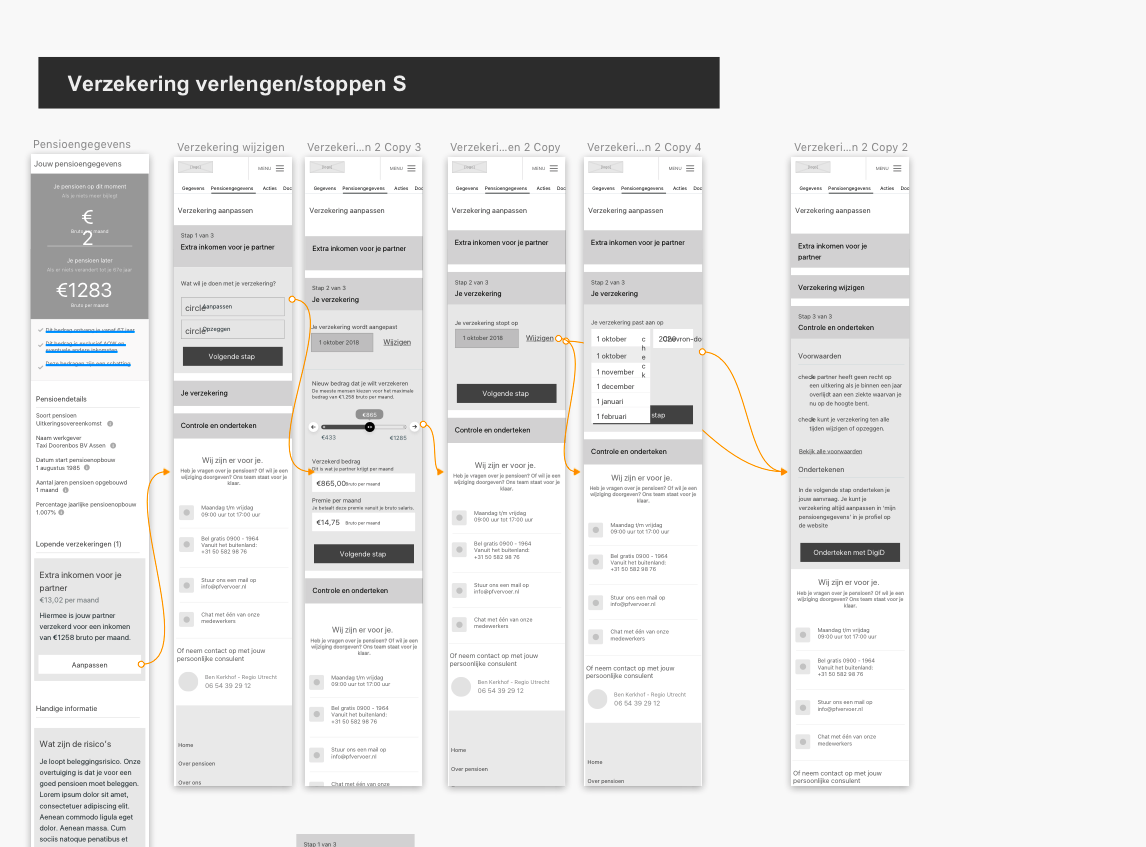
Tips
- Use a sketch library with a wireframe kit. It will save you a lot of time! You can use one from the web like form. Or you use our Hike One ID Library. @Suzanne W is taking care of this library and you can follow all about it in this slack channel #hikeone-id-library.
- Always think about the flow; decisions a user can make on the page and what will happen next.
- Don’t use lorem ipsum, try to use realistic content to make clear what the page or functionality is about.
- Try to leave out all visual design elements and focus on the user experience only.
- When presenting wireframes explain to your client upfront why you use them and how they should react on it. Be clear you are focussed on user experience (how it works) and that visual design will be added later (what it looks like).
- Make use of existing patterns as much as possible.
- Don't forget! Most of the time a design should work for more screen sizes. Never consider just one size in your wireframes.
- Start designing mobile-first.
Ask [@Puck S](https://app.gitbook.com/ep/profile/iX86Va0dCNNJDjPG9iZ95garXmY1lJ4LpILpJgaEGioGqlnVIZ) an [@myrthe g](https://app.gitbook.com/ep/profile/16Vtz98QRUunv3Rpqfnlby61Ops6R1D2FwY1r8U6PZOQlRlk) if you need more tips or feedback on your wireframing skills
What do you need
- [ ] Pen & Paper
- [ ] Sketch
- [ ] Sketch library
- [ ] Hike One ID Library. Here you can find how to use it : +ID Library for Sketch
Learn more
- How to make your first wireframe https://www.invisionapp.com/blog/how-to-wireframe/
- Sketching as a tool https://www.ideo.com/blog/the-tool-every-ux-designer-needs